
SPREADSHEET COURSES
Courses are the most cost-efficient path for you to learn about Google Sheets or Excel. Courses are small (2-8 students) and live on Zoom. The online format allows students to join from all over the world and our small class sizes provide a learning environment where students can ask more questions and get individual guidance and feedback.
Marcie’s spreadsheet course was the kind of class I’ve needed for so long but never knew existed. And it was FUN! Marcie made learning about spreadsheets exciting, and I felt like I’d gotten my money’s worth within 20 minutes of each class. Marcie isn’t just a spreadsheet wizard, either; she’s someone you want to hang out with. I loved that the remote class was small and interactive, and that Marcie was so responsive to live questions. It felt like we were a real team workshopping things together. Each class was packed with concrete skills, tips and tricks that I could start using as soon as class ended. Thank you Marcie!
If you have never taken a course from me, you are strongly encouraged to start with Level 1. We go over several foundational tips and tricks that many seasoned spreadsheet users don’t know.
Course recording will be available for four weeks after the course.
Please note that course enrollment is non-refundable and non-transferrable.
Level 1
We will cover foundational and key topics such as digital organization, pivot tables, data linking, color-coding/conditional formatting, and my favorite time-saving tricks. Even seasoned spreadsheet users learn new tricks! This is the best course for those who aim to increase overall confidence in spreadsheets. For Level 1, participants choose to focus on either Google Sheets or Microsoft Excel.


Level 2
After introducing formulas and functions, students will learn the differences between absolute and relative reference. We will use summer camp examples to learn the functions IF, COUNTIF, CONCATENATE/&/TEXTJOIN. We will cover using the text-to-columns feature.

Level 3
For those who are ready to really roll up their spreadsheet sleeves, students in Level 3 will gain exposure to more functions including VLOOKUP, and nested IF statements (IFS). Understanding and being able to use these two functions will unlock a world of efficiency you never knew existed!
More Stellar Online Courses
I offer a number of other courses throughout the year.
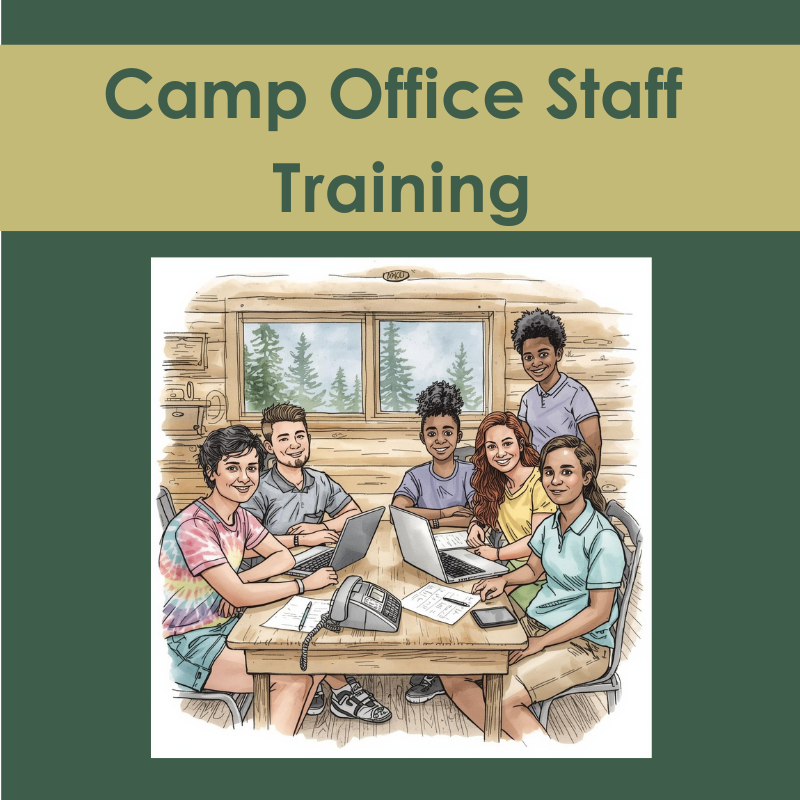
CAMP OFFICE STAFF TRAINING
Camp receptionists, registrars, and administrative assistants need training, too!

END OF SUMMER REPORTING
We will focus on building dashboards that show your key performance indicators.
Choose the class that best suits your software program of choice:

Dates TBD
FAQs
Why take a class?
Mastering spreadsheets is essential for seamless camp management. These tailored courses are perfect for busy program directors, office coordinators, interns, and staff members who rely on spreadsheets daily. Whether you’re scheduling activities or generating reports, this training will streamline your workflow and boost efficiency.
What sets these courses apart?
Each class involves examples that are specific to youth-work (summer camps, afterschool programs, schools, etc.), ensuring immediate relevance and applicability to your daily operations. Elevate your skills and enhance your camp’s productivity with this comprehensive training. Register now now and make spreadsheet mastery a cornerstone of your success!
What’s the class format?
All our courses are presented live on Zoom. We limit registration to keep classes small (usually 6-8 students). If your desired course is full, email Marcie to be put on a waiting list. marcie@helpmyspreadsheets.com
For those who prefer one-on-one instruction, you can schedule private lessons. Or, if you think it might be better (and/or faster) to have someone create what you want, learn more about custom projects.
The Level 1 class is divided into two sections: one for Google Sheets users and one for Microsoft Excel users, allowing students to focus on the specific platform they prefer. However, for Level 2 and Level 3, all students are combined into a single class regardless of their preferred spreadsheet system, as the concepts taught at these levels are highly similar across both platforms. Whether you prefer Google Sheets or Excel, you’ll be part of a unified group for these advanced courses.
What course should I take?
I recommend everyone start with Level 1. We go over foundational skills and application scenarios that will be very beneficial. Even seasoned spreadsheet users learn hacks that help them move through a spreadsheet with ease.
Feel free to jump to Level 2 if all the following are true:
- You know how to make rosters and attendance sheets that link to a main list of campers
- You make pivot tables like a champion and know how to drill down to a detailed view.
- You are confident with elements such as:
- Formatting zip codes so they don’t lose the leading zero
- Formatting phone numbers and dates
- Automatic color-coding
- Paste special options